Privacy & setup
How offline voice-to-text works on Android
Offline transcription replaces a trip to a remote speech server with a model that runs on your phone. That changes privacy, preparation, speed, and the limits you should expect.
What “offline” means here
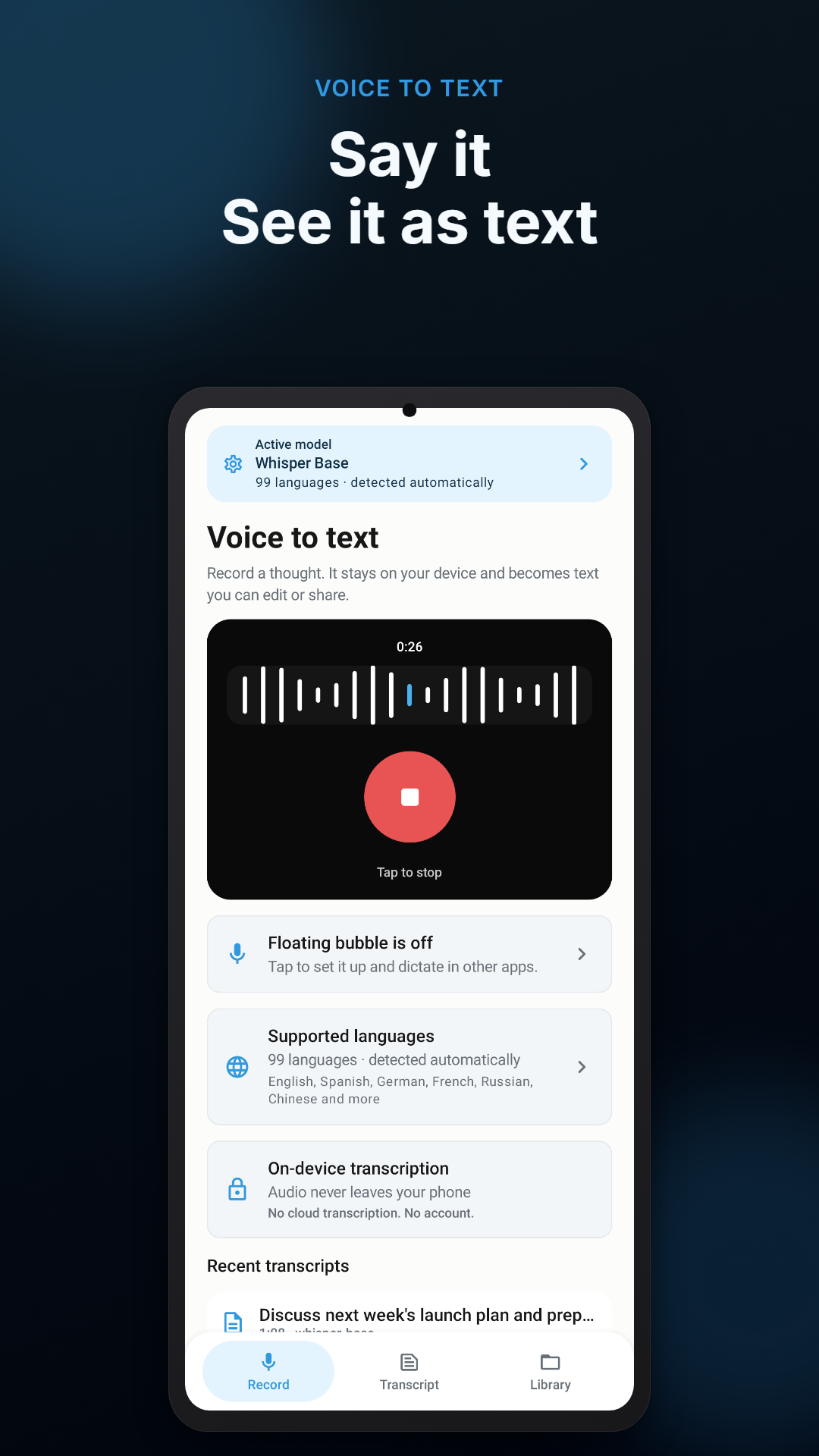
In an on-device workflow, microphone audio is analyzed by a speech-recognition model installed on the phone. Voice Scribe uses that model to produce editable text without uploading the recording to a cloud transcription service. A connection is still needed if you choose to download an optional model, and Android or Google Play may use the network for installation, updates, purchases, or connected diagnostics.
This distinction matters. “No cloud transcription” describes where speech recognition happens. It should not be stretched into a claim that the app or phone never communicates with any online service.
The three parts of local transcription
- Capture. The microphone records the spoken note while recording is active.
- Recognition. An installed model maps the audio to likely words. Model size, language, background noise, and the device all influence the result.
- Review. The transcript becomes editable text. Names, technical terms, dates, and numbers deserve a deliberate check.
Why a downloaded model changes the trade-off
A local model takes storage and phone processing instead of server time. Smaller models generally download faster and require less memory; larger optional models may improve multilingual recognition but ask more from the device. Voice Scribe includes an offline starting model and lets you choose optional downloads. Prepare those downloads over Wi-Fi before travel or another moment when connectivity is uncertain.
A reliable five-minute setup
- Install the app and allow microphone access only when you are ready to record.
- Record a short sentence in a quiet room, then check names and punctuation.
- Try your usual environment: a kitchen, a walk, or a parked car—not while driving.
- If you plan to dictate into other apps, enable optional text insertion separately and test it in a non-sensitive note. Password fields are excluded.
- Before a long or important recording, make a short test and confirm available battery and storage.
Know what a transcript is—and is not
Speech recognition is an aid, not an authoritative record. It can confuse similar-sounding words, speakers, figures, and proper nouns. For medical, legal, financial, safety, employment, or official material, keep the source where appropriate and verify the text with a qualified person or primary record.
Try private voice-to-text on your phone
Voice Scribe records ideas, turns them into editable text on-device, and keeps saved transcripts in a local library until you delete them.